Product Workflow Preview

The point of sale that pays attention.

Prism is being designed as one calm system configured through business profiles, not separate industry forks. The current executable target plan is an operations workflow; the other profiles below are guided previews.
Concept workflow · fictional data
app.posprism.com
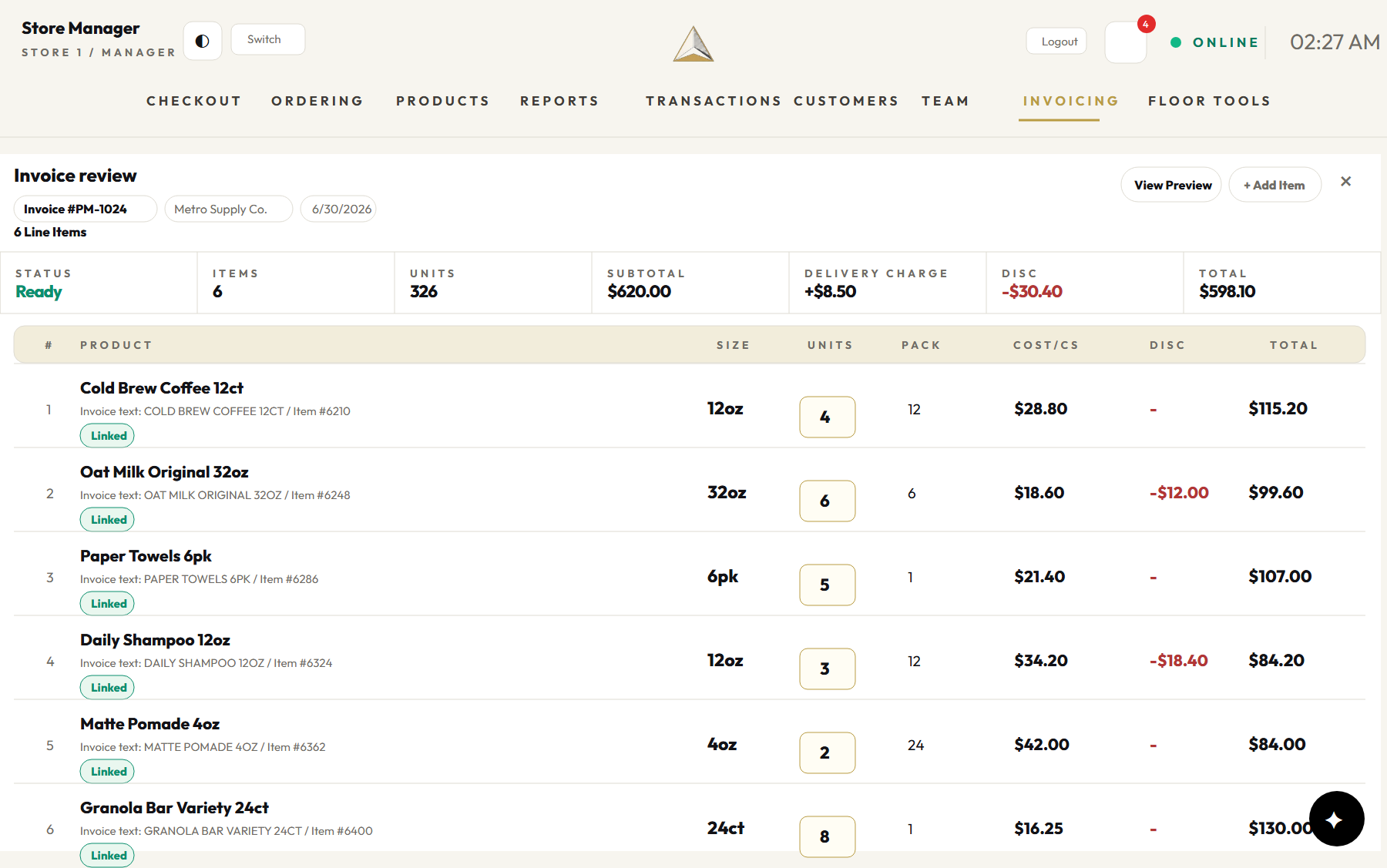
Concept invoice-review mockup using fictional supplier lines, costs, and receiving states
Planned Business Profiles

One operating language, configured around how each business works.

These categories guide Prism's capability and UI research. Northstar specialty-market operations is the current executable target; the other profiles remain clearly labeled previews until verified.

  • Restaurants
  • Bodegas
  • Cafes
  • Barbershops
  • Food trucks
  • Specialty retail
  • Markets
  • Salons
  • Pop-ups

Six reusable presets cover these nine public business labels without forking the product.

Restaurant team member using a tablet POS at the service counter
Counter service, inventory, and daily context stay connected.
The Problem

If you're still typing invoices
by hand, you're already behind.

An independent store runs on thousands of products, a handful of suppliers, paper invoices on the counter, and lines that don't wait. Prism's design goal is to make that work calmer and easier to verify.

Typing every invoice by hand
Snap a photo. Review the lines. Receive cleanly.
Guessing the next reorder
The planned reorder snapshot shows its stock, supplier, pack, and cost inputs before approval.
Exceptions with no clear next step
Keep the evidence, explain the consequence, and offer the next safe action.
The Operating System

One system. Every part of the store.

The current executable target connects invoice review, receiving, inventory evidence, internal purchase drafts, and cited explanations in one manager workflow.

Invoice Intelligence

The planned flow accepts an allowlisted synthetic invoice, extracts a reviewable draft, and keeps uncertain lines blocked until a manager resolves them.

Invoice review screen

Purchase Drafts

Prism's planned operations workflow calculates a reorder snapshot and prepares an internal supplier-grouped draft. A manager reviews and approves it; this MVP has no supplier-send path.

Cash Register

Managers can open a drawer, ring catalog items, take cash, issue a numbered receipt, deplete inventory, and complete a blind closeout. Card terminals come later.

Operations Readout

The MVP plan summarizes invoice, receiving, stock, cost, reorder, and PO evidence in plain language.

Read-only plan

Store Assistant

The MVP plan answers reorder questions from authorized records with server-built citations and no write actions.

Smart Pairings

Turn one strong seller into a smarter basket.

Planned beyond the current MVP, Smart Pairings will help you bundle what already sells with a relevant product, service, or add-on that needs a lift.

Planned feature
  1. Find the match

    Start with what customers already choose.

  2. Lift the right add-on

    Pair a relevant slower mover, service, or extra.

  3. Grow this visit—or the next

    Check margin and availability, then approve the offer.

Purchase Planning Preview

Suggested orders, reviewed with their evidence.

The planned workflow groups suppliers, records the stock and cost inputs behind each suggestion, and creates an internal draft for manager approval. It does not email or transmit an order.

  • Order enough to stay stocked without burying cash in slow movers
  • Vendor-grouped lists that take a minute to review, not an evening
  • Last approved price and pack assumptions remain visible before approval
Barbershop staff member using a tablet POS while checking out a customer
Barber and salon workflows remain a guided preset preview, not an executable MVP capability.
Internal reorder snapshot

Planned: explain stock, demand, open-PO, pack, and suppression inputs before a draft is created.

Manager-approved draft

Planned: review and approve inside Prism. Email, supplier transmission, and autonomous ordering are out of scope.

Invoice Intelligence

Upload. Match. Review. Receive.

A supplier drops 25 cases and a paper invoice. Here's what happens next.

01 / UPLOAD

Snap or drop

The planned flow validates type and size, records a document hash, and warns about a duplicate without silently receiving it.

02 / MATCH

Find the right product

The planned matcher checks scoped identifiers and aliases. A weak or unmatched line remains flagged for manager review.

03 / REVIEW

Side-by-side plan

The planned review places the original invoice beside normalized lines and clearly flags deposits, charges, and arithmetic warnings.

04 / RECEIVE

Controlled receive

The planned transaction updates ledger, projection, costs, PO receipt state, audit, and outbox together or not at all.

Unmatched is better than wrong.
Invoice Review

Every line, every discount, every cent.

This preview presents original invoice evidence beside normalized items, units, cases, costs, and discounts. Anything uncertain stays at the top until a manager resolves or excludes it.

  • The normalizer must preserve discounts and product surcharges as reviewable evidence
  • Per-line discounts remain visible in the planned retained review record
  • Receiving is designed to commit completely or roll back completely
Concept invoice review mockup with fictional line items and matches

Concept mockup · fictional data · not shipped-product evidence

Read-only Assistant Preview

Answers that show where they came from.

The planned assistant is limited to authorized invoice, inventory, reorder, and purchase-order reads. It must return server-built citations and cannot change a record.

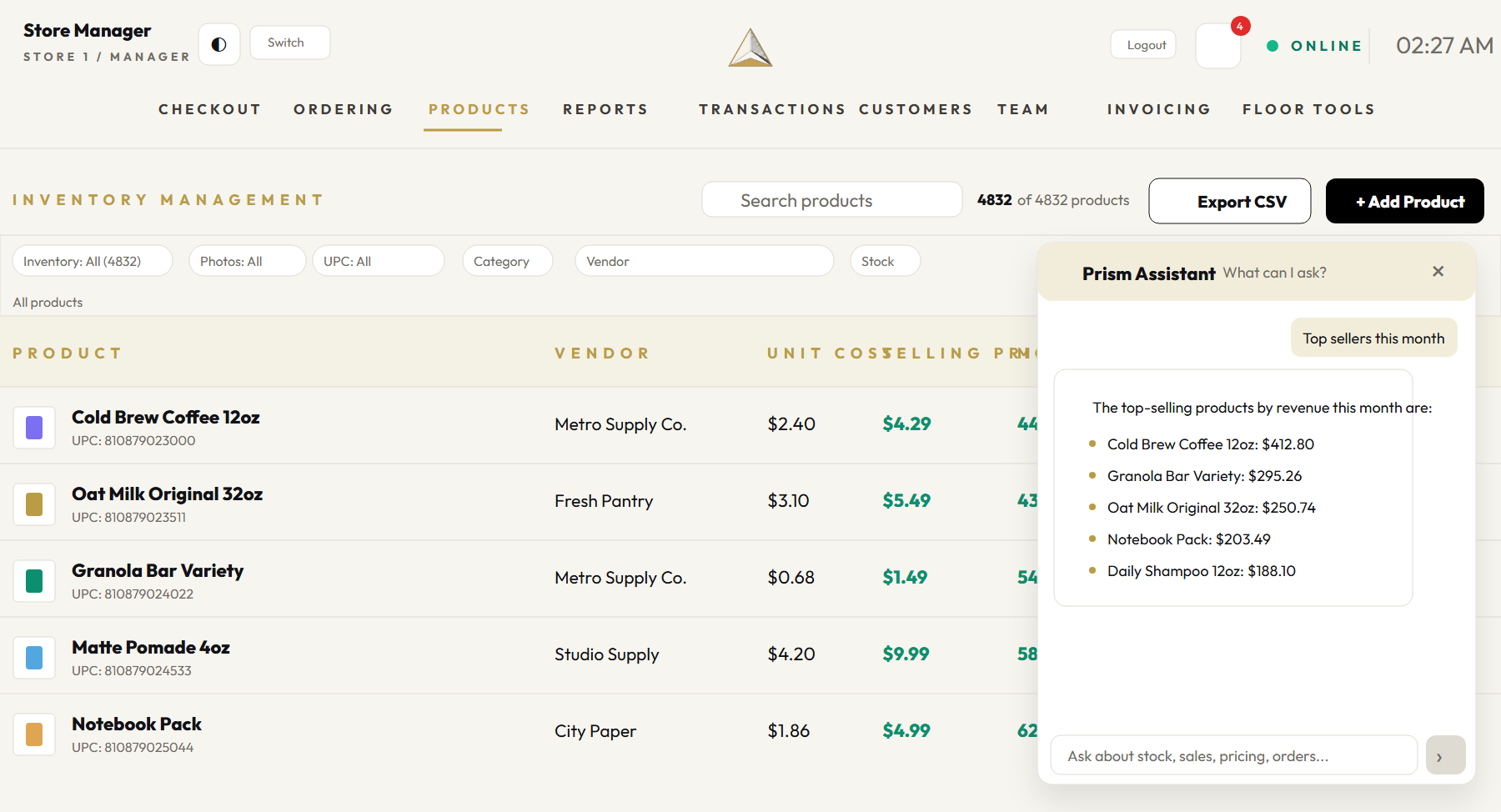
"What are my top sellers this month?"
The register records live sales, but top-seller reporting is not yet a reviewed assistant answer.
"What should I reorder before the weekend?"
The current MVP uses inventory (including completed-sale depletion), supplier, pack, and cost records. Every answer must show its authorized sources.
"Is anything costing me more than before?"
The planned read-only answer compares authorized invoice and cost-history records and cites the exact records used.
"Can someone help right now?"
The UI must expose an honest recovery path. Production support coverage and service levels remain an open business decision.
Concept assistant mockup using fictional inventory data

Concept mockup · fictional data · sales answers are outside the current MVP

Planned Mobile Concept

A future store view, in your pocket.

Mobile employee workflows and counter operations are deferred. These concept mockups explore how authorized stock, product, and reorder context could adapt to smaller screens.

Concept scene of specialty retail checkout with a customer and tablet
Concept direction only. Manager cash checkout is implemented; employee mobile and card-terminal workflows remain deferred.
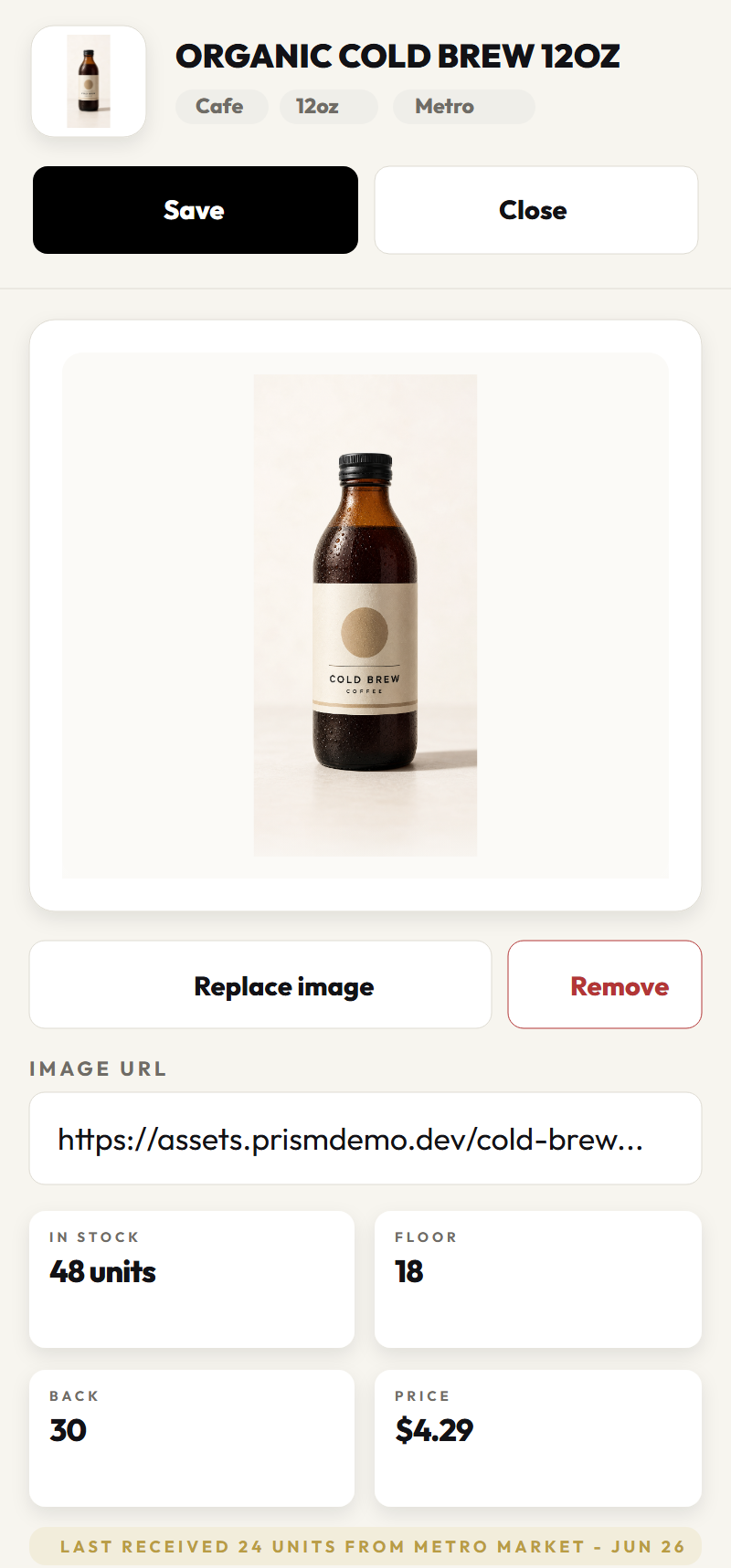
Concept mobile product-detail mockup with fictional stock and costs
Planned Product Detail Fictional stock and cost context
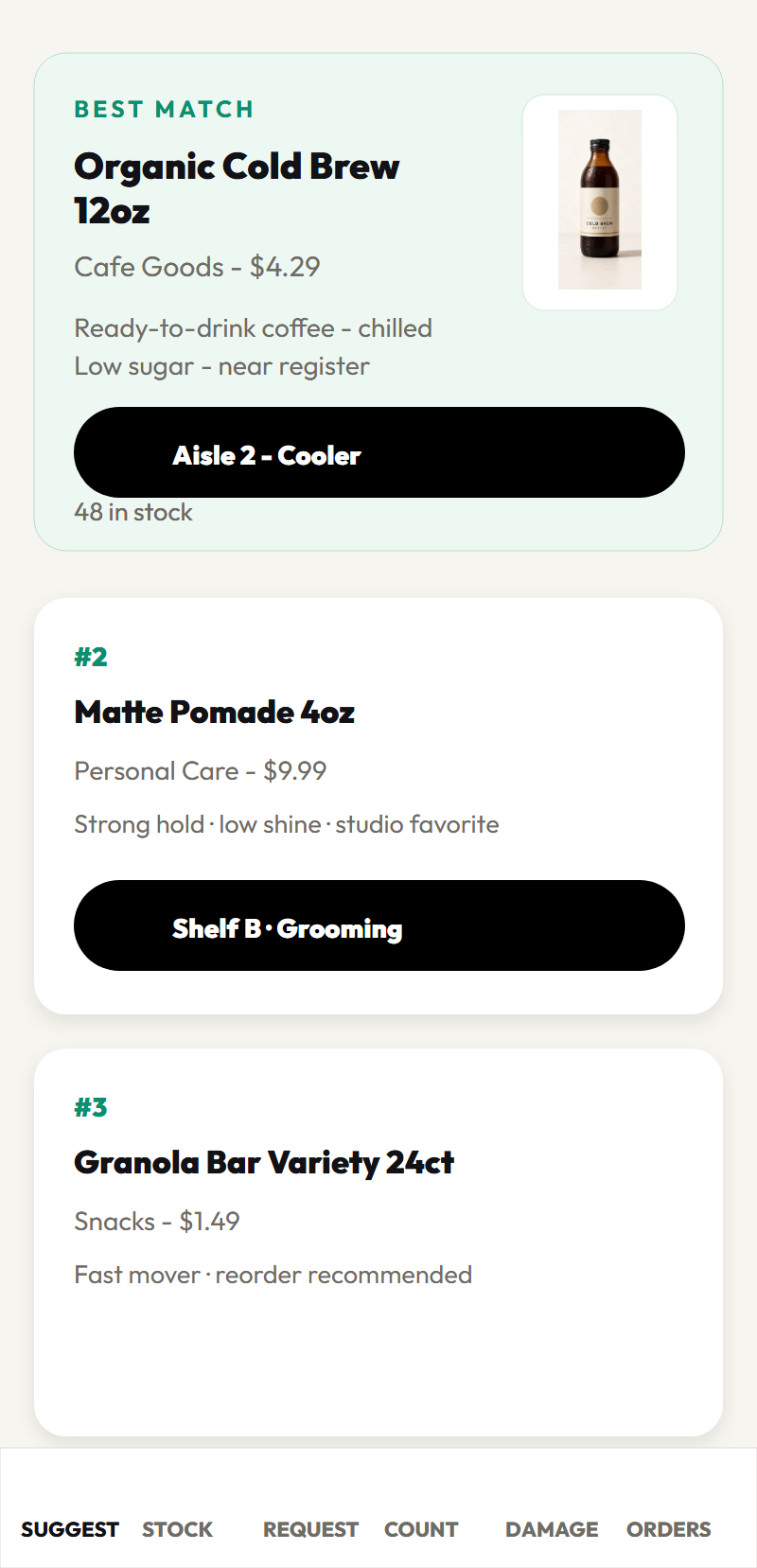
Concept employee suggestion mockup using a fictional product
Planned Floor View Deferred employee workflow
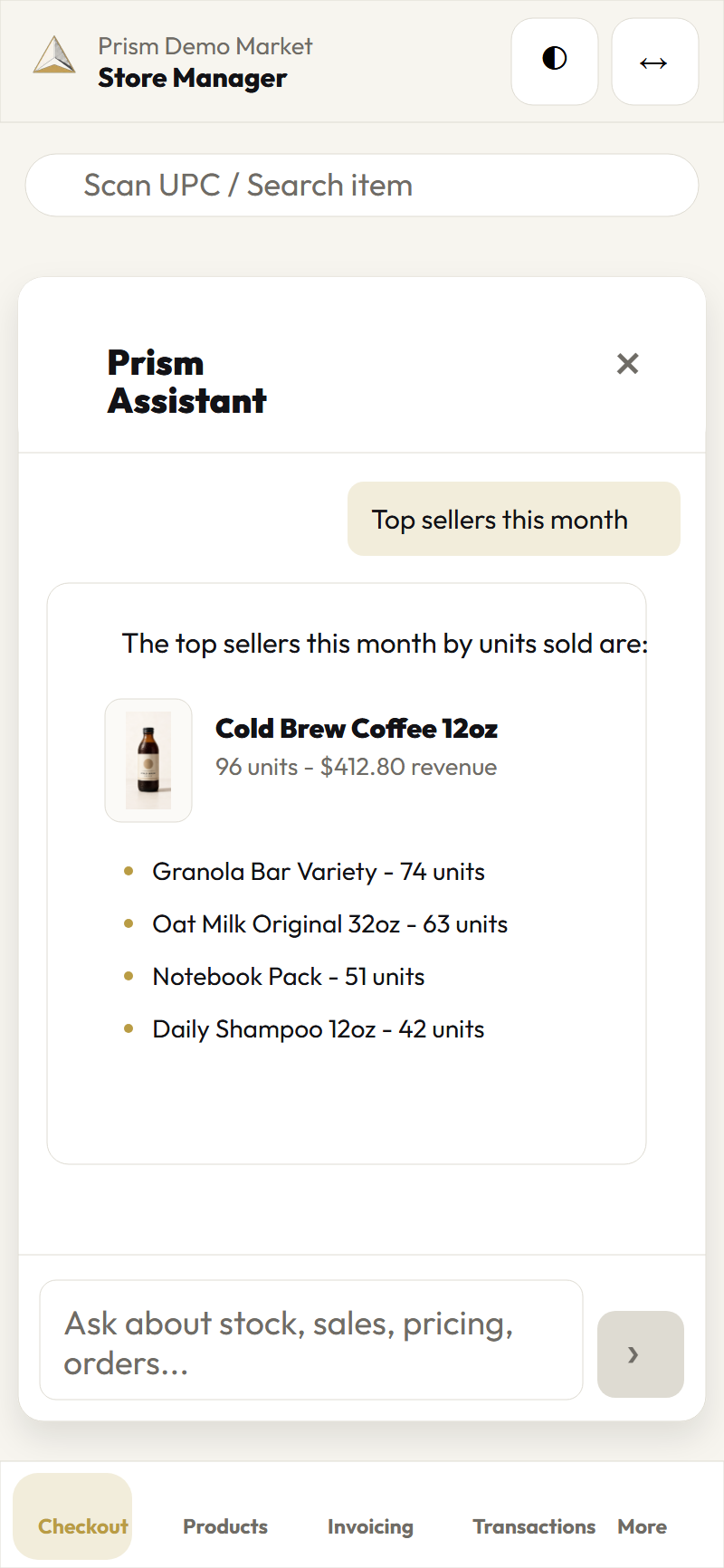
Concept mobile read-only assistant mockup with fictional inventory
Planned Read-only Assistant Cited operations questions only
Support Readiness

Recovery paths that remain visible and honest.

The product is being designed to preserve evidence, show system health, and give managers a next safe action when something is blocked. The production support model and service levels are not yet committed.

Food truck operator using a tablet POS at the service window
Production support coverage and service levels remain under definition.
  • Clear escalation context Record the store, workflow, provider state, and recovery actions without exposing secrets.
  • Onboarding designed around the workflow The production import, validation, device, and training path remains under design and verification.
  • Watching, even when you're not The planned health surfaces make processing, queue, stock, and security exceptions visible without claiming autonomous monitoring.
Principles

Designed for real store days,
not just demos.

The register stays calm when the line gets long. If ten people are waiting, the software shouldn't be the thing that slows you down.
When something on an invoice doesn't look right, it gets flagged - not silently pushed into your inventory. We'd rather leave a line unmatched than match it wrong and corrupt your stock.
Prism is being designed so organization and store context is derived by the server and tested across routes, jobs, storage, search, exports, and assistant retrieval before production use.
The planned assistant is read-only. It answers from an authorized record set, shows server-built citations, and cannot decide inventory, price, payment, tax, or permissions.
Built by engineers who've watched store owners spend their evenings keying in invoices line by line. That's the problem we're here to fix.
Common Questions

Answers, before you ask.

Do I need to buy new hardware?
Prism is planned as a browser-based product. Hardware compatibility will be confirmed per workflow, device, and payment certification before a production pilot.
How long does setup take?
A production onboarding path is still being designed. The planned approach starts with the store's catalog, suppliers, roles, devices, and first verified workflow.
What happens to my products and history?
Catalog migration is planned but not yet implemented. Import mapping, validation, rollback, and tenant-isolation evidence are required before a production migration promise.
Is there someone to call when I need help?
The production support model and service levels are still being defined. This workflow preview does not make a 24/7 support commitment.
Is my store data private?
Prism is being designed around organization- and store-scoped access. Those controls must pass tenant-isolation and privacy gates before production use. Read our privacy policy for current website handling.
Can Prism help me sell slower-moving products?
Smart Pairings is planned beyond the current MVP. It would suggest a relevant bundle, check margin and availability, and leave every offer under manager control. Offers could apply now or on a future visit.
What happens after I book a demo?
We walk through your store workflow, map the first setup path, and distinguish the current operations target from planned counter, mobile, and industry-specific workflows.

Bring calm to the counter.

A modern operating system for independent shops that want speed, clarity, and less mess behind the scenes.

Book a Demo →
Guided workflow preview · Fictional data · Capabilities remain evidence-gated